Checking and tuning your web corpusVérifier et régler son corpus web
Checking what you collected
Once the corpus is ready, start with its statistics (“corpus details and statistics”). I do not explain each indicator here: the small “i” icons of the interface do it very well.
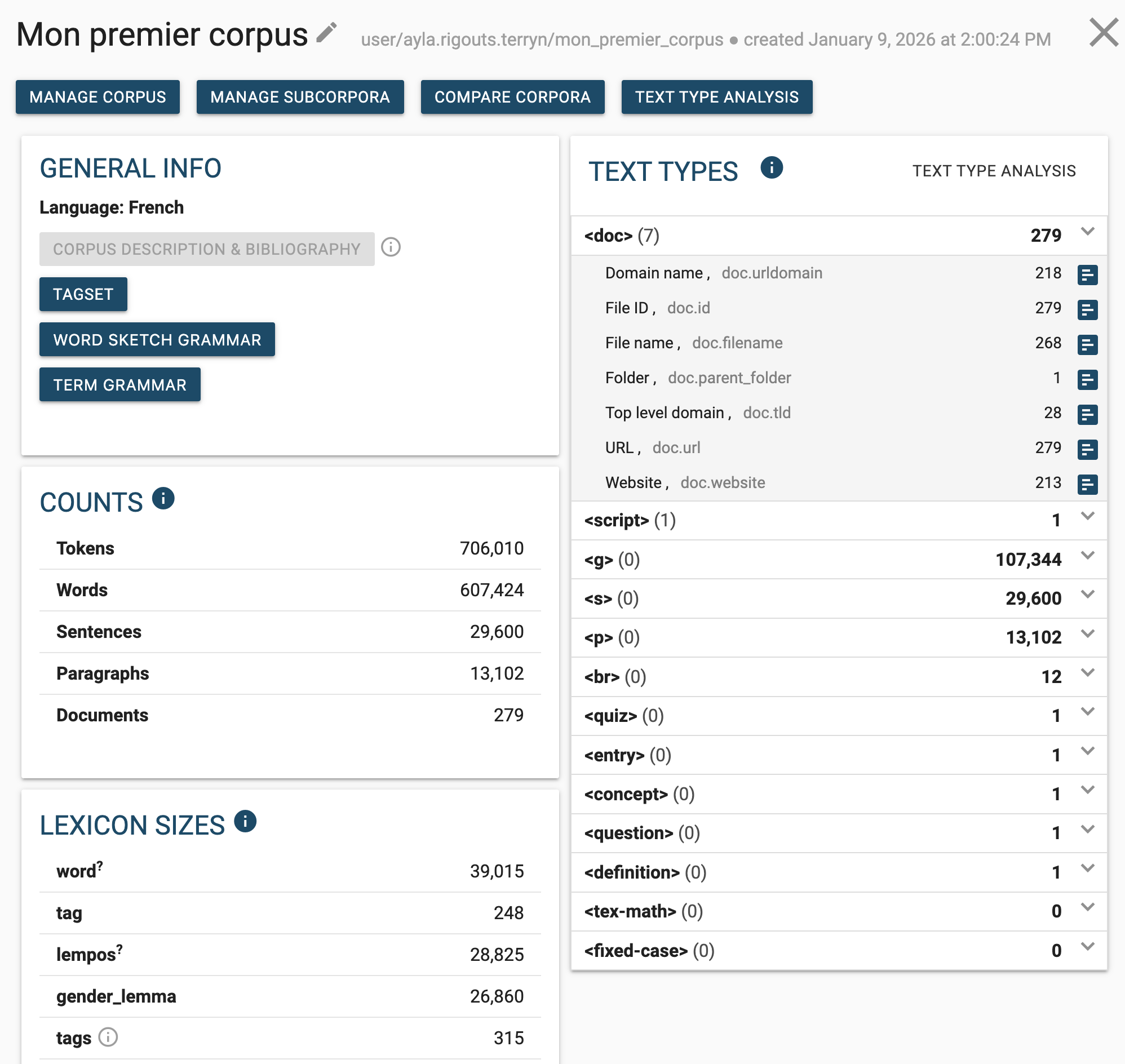
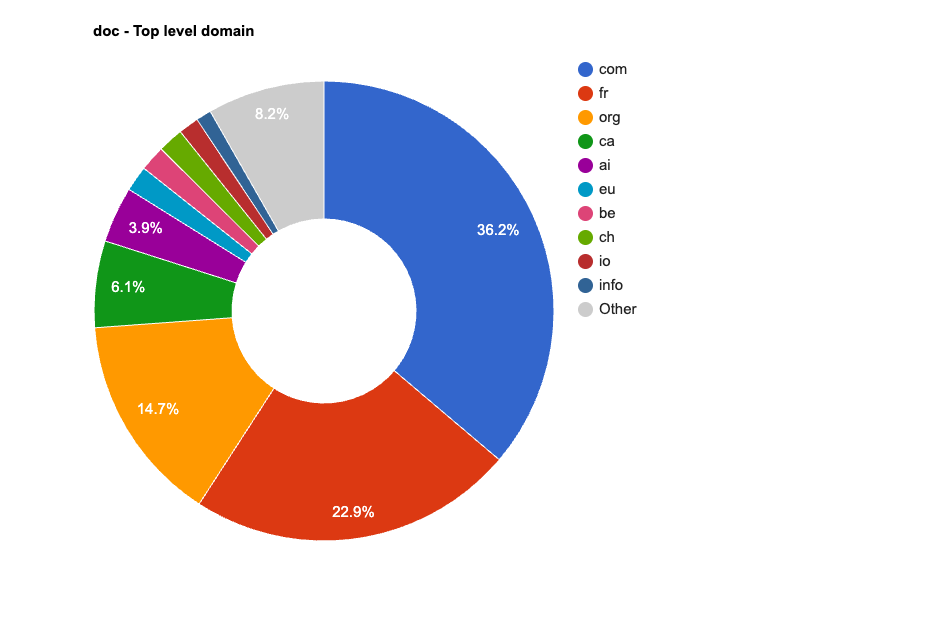
“Text type analysis” details the text types and the sources the corpus is made of. That is where you see whether what you collected matches what you were after: a corpus on figure skating that draws half its pages from a single online shop is not the one you were looking for.
What the settings control
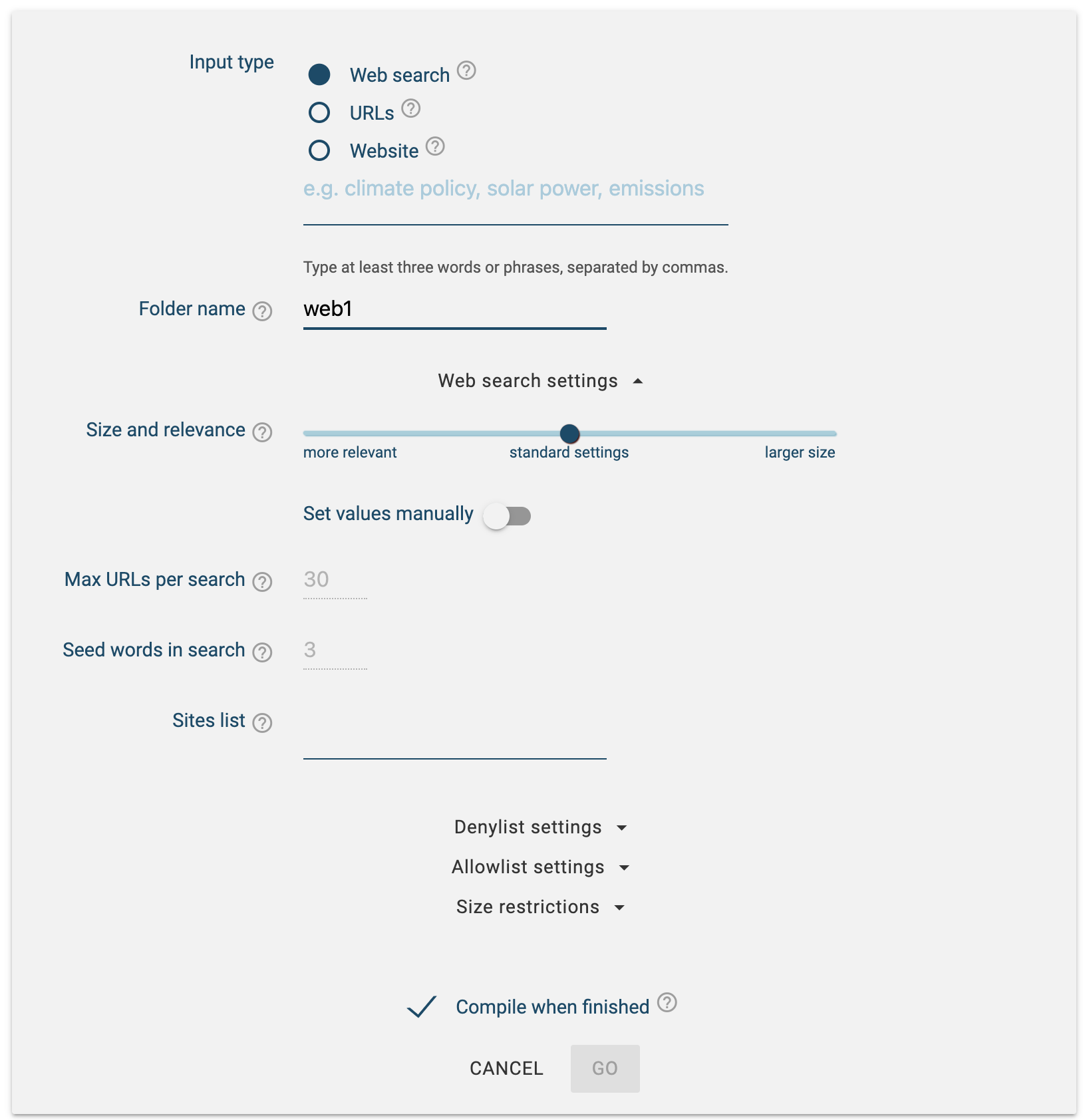
The defaults were enough to build a first corpus. When the result is not the one you wanted, these are the settings to go back to.
Size or relevance
A slider sets the balance between “size” (quantity) and “relevance”:
- more relevance: the algorithm keeps only the first results of each Bing search, taken to be the most relevant;
- more size: it goes further down the results and takes more texts, but texts that may be less relevant.
Allowlist and denylist
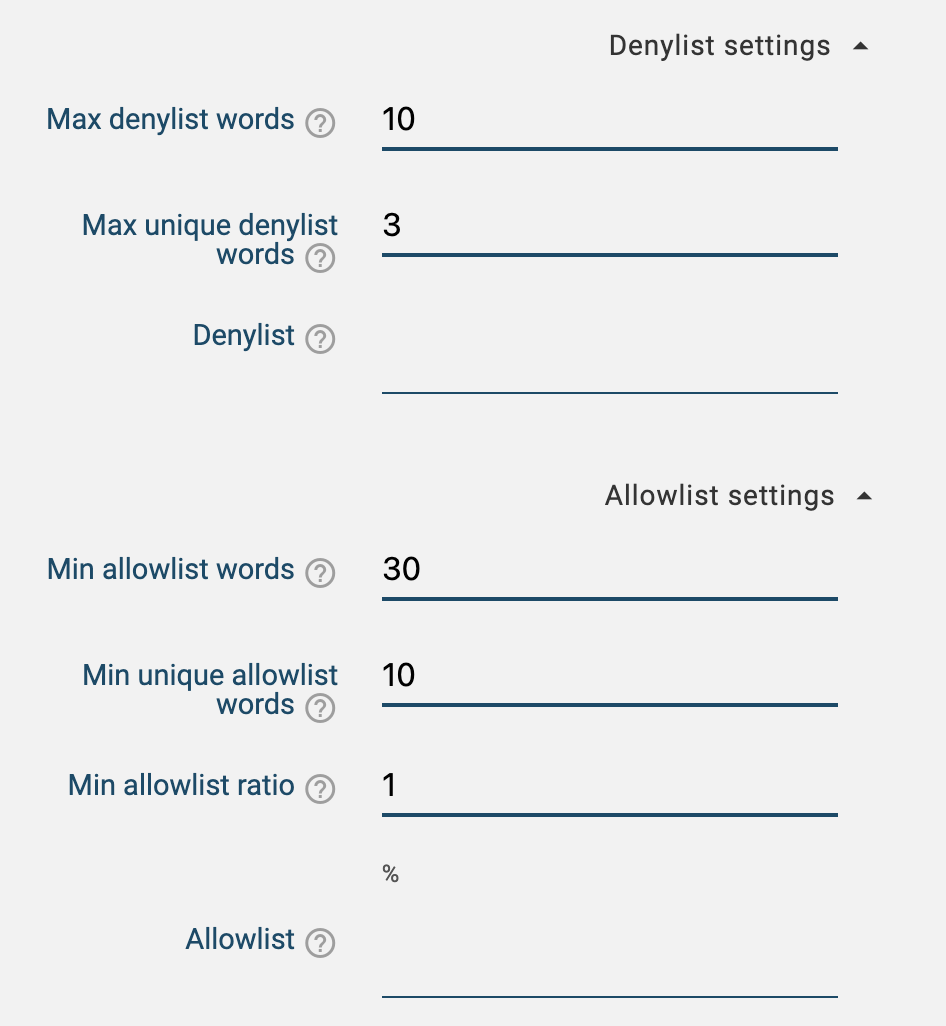
The allowlist names required words: a page enters the corpus only if it contains a minimum number of them. The denylist names words to avoid, with a setting for how strict to be.
These lists mostly serve to disambiguate polysemous keywords. For a corpus on the programming languages “Java” and “Python”, the web also talks about an island and a snake; hence, for example:
- allowlist: programming, developer, code, bug, variable, software;
- denylist: snake, reptile, island, Indonesia.
Capping the size
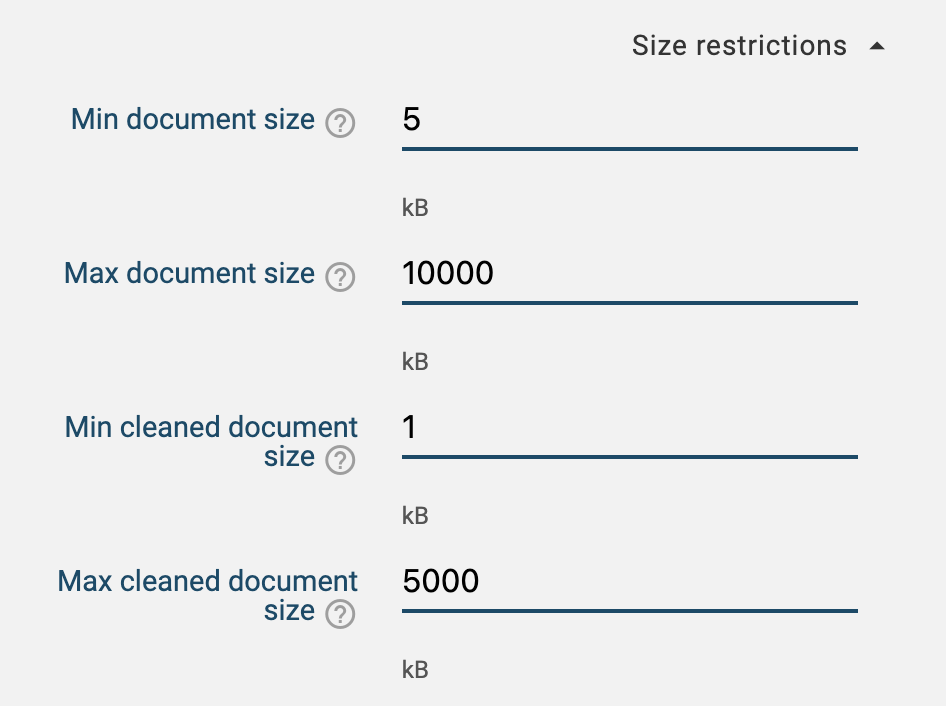
The web being immense, you can also cap the number of documents and their length, to obtain a smaller corpus.
Managing the corpus
To come back to the corpus, click the Sketch Engine logo in the top left, then “manage corpus”.
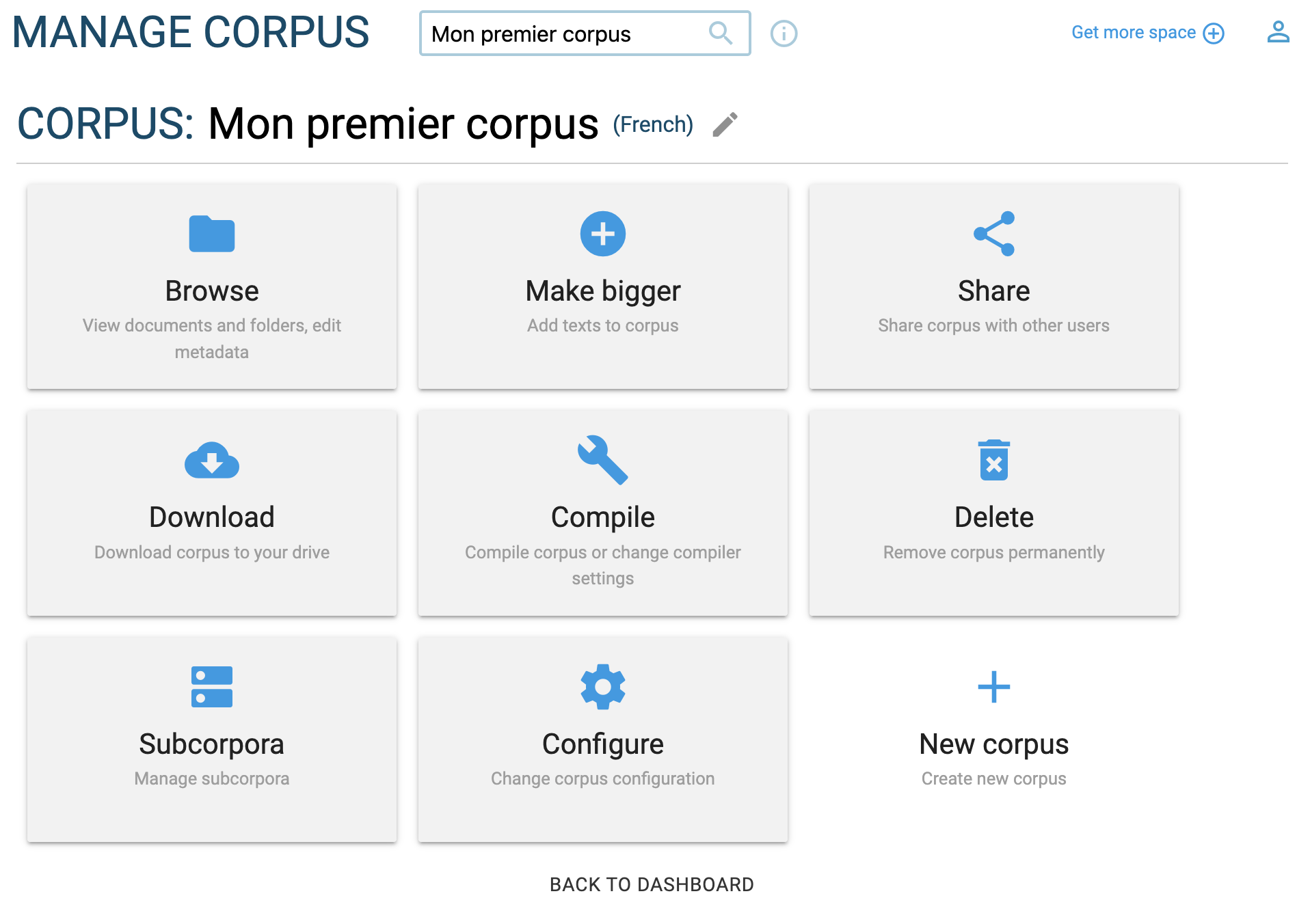
There you can download the corpus, extend it with new texts, share it or delete it. You can also create subcorpora, for instance to separate French sites from Canadian ones and compare the two.
Vérifier ce que vous avez récolté
Une fois le corpus prêt, commencez par ses statistiques (« corpus details and statistics »). Je n’explique pas chaque indicateur ici : les petits « i » de l’interface le font très bien.
Le « text type analysis » détaille les types de textes et les sources qui composent le corpus. C’est là que vous voyez si la récolte correspond à ce que vous vouliez : un corpus sur le patinage artistique qui tire la moitié de ses pages d’une seule boutique en ligne n’est pas celui que vous cherchiez.
Ce que contrôlent les paramètres
Les valeurs par défaut suffisaient pour construire un premier corpus. Quand le résultat n’est pas celui que vous vouliez, ce sont ces paramètres qu’il faut reprendre.
Taille ou pertinence
Un curseur règle l’équilibre entre « size » (quantité) et « relevance » (pertinence) :
- plus de pertinence : l’algorithme ne retient que les premiers résultats de chaque recherche Bing, censés être les plus pertinents ;
- plus de taille : il descend plus loin dans les résultats, récolte plus de textes, mais des textes potentiellement moins pertinents.
Allowlist et denylist
L’allowlist énumère des mots obligatoires : une page n’entre dans le corpus que si elle en contient un nombre minimal. La denylist énumère des mots à éviter, avec un réglage plus ou moins strict.
Ces listes servent surtout à désambiguïser des mots-clés polysémiques. Pour un corpus sur les langages de programmation « Java » et « Python », le web parle aussi d’une île et d’un serpent ; d’où, par exemple :
- allowlist : programmation, développeur, code, bogue, variable, logiciel ;
- denylist : serpent, reptile, île, Indonésie.
Plafonner la taille
Le web étant immense, on peut aussi plafonner le nombre de documents et leur longueur pour obtenir un corpus plus petit.
Gérer le corpus
Pour revenir au corpus, cliquez sur le logo Sketch Engine en haut à gauche, puis sur « manage corpus ».
On peut y télécharger le corpus, l’élargir avec de nouveaux textes, le partager ou le supprimer. On peut aussi créer des sous-corpus (« subcorpora »), par exemple pour séparer les sites français des sites canadiens et comparer les deux.
Sources
- Kilgarriff, A., Baisa, V., Bušta, J., Jakubíček, M., Kovář, V., Michelfeit, J., Rychlý, P., & Suchomel, V. (2014). The Sketch Engine: ten years on. Lexicography, 1(1), 7–36. https://doi.org/10.1007/s40607-014-0009-9
Sources
- Kilgarriff, A., Baisa, V., Bušta, J., Jakubíček, M., Kovář, V., Michelfeit, J., Rychlý, P., & Suchomel, V. (2014). The Sketch Engine: ten years on. Lexicography, 1(1), 7–36. https://doi.org/10.1007/s40607-014-0009-9